
Full Accounting
Fees, receivables, suppliers, payables and financial reporting within Tailored Finance.
Explore →Run Your School's Administration, Accounting, Academics, Timetables and Campus Operations From One Connected Platform.
Web for management. Desktop for resilient school operations. Mobile in the classroom. RFID at the gate. Communication everywhere.
Want to explore first? Open the public test school with sample data.
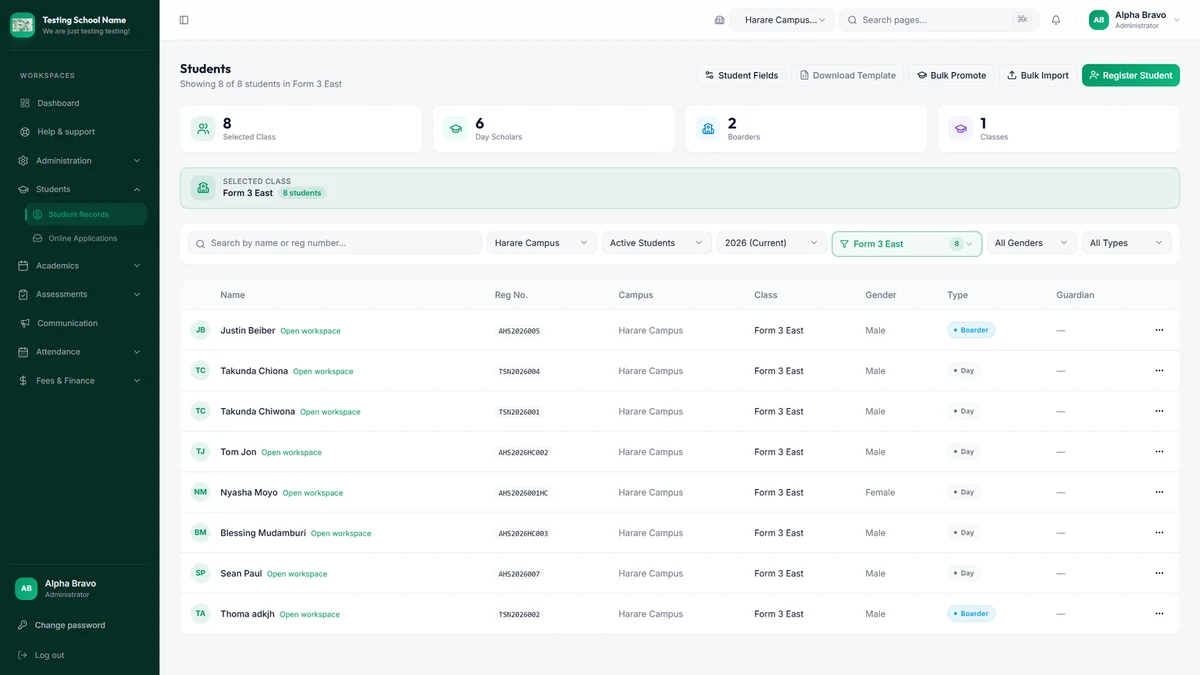
Web portal · public test school with demonstration records.
Now available across the connected platform.
Fees, receivables, suppliers, payables and financial reporting within Tailored Finance.
Explore →Build, validate, generate and publish lesson and examination schedules.
Explore →Local school operations with supported offline records and synchronisation.
Explore →An agreed school-level scope with predictable annual renewal terms.
Explore →Core keeps the student record at the centre. Finance, campus access and communication work from the same school information—not separate spreadsheets.
From admission to graduation, keep student, guardian, class, attendance, assessment and report-card information connected.
Explore Core →Connect student fees, supplier bills, receivables, payables and financial reporting through full Accounting.
Explore Finance →Connect student cards and RFID/NFC attendance to the digital school. Hardware and deployment are configured per campus.
Explore Access →Keep staff and students informed through school notices and supported portal access. WhatsApp Access is Coming Soon.
Explore Connect →One school record links the platform together. Availability of optional modules and hardware depends on your school's configuration.
Go beyond collecting fees. Connect student invoices and payments with suppliers, expenditure, the ledger and financial reporting.
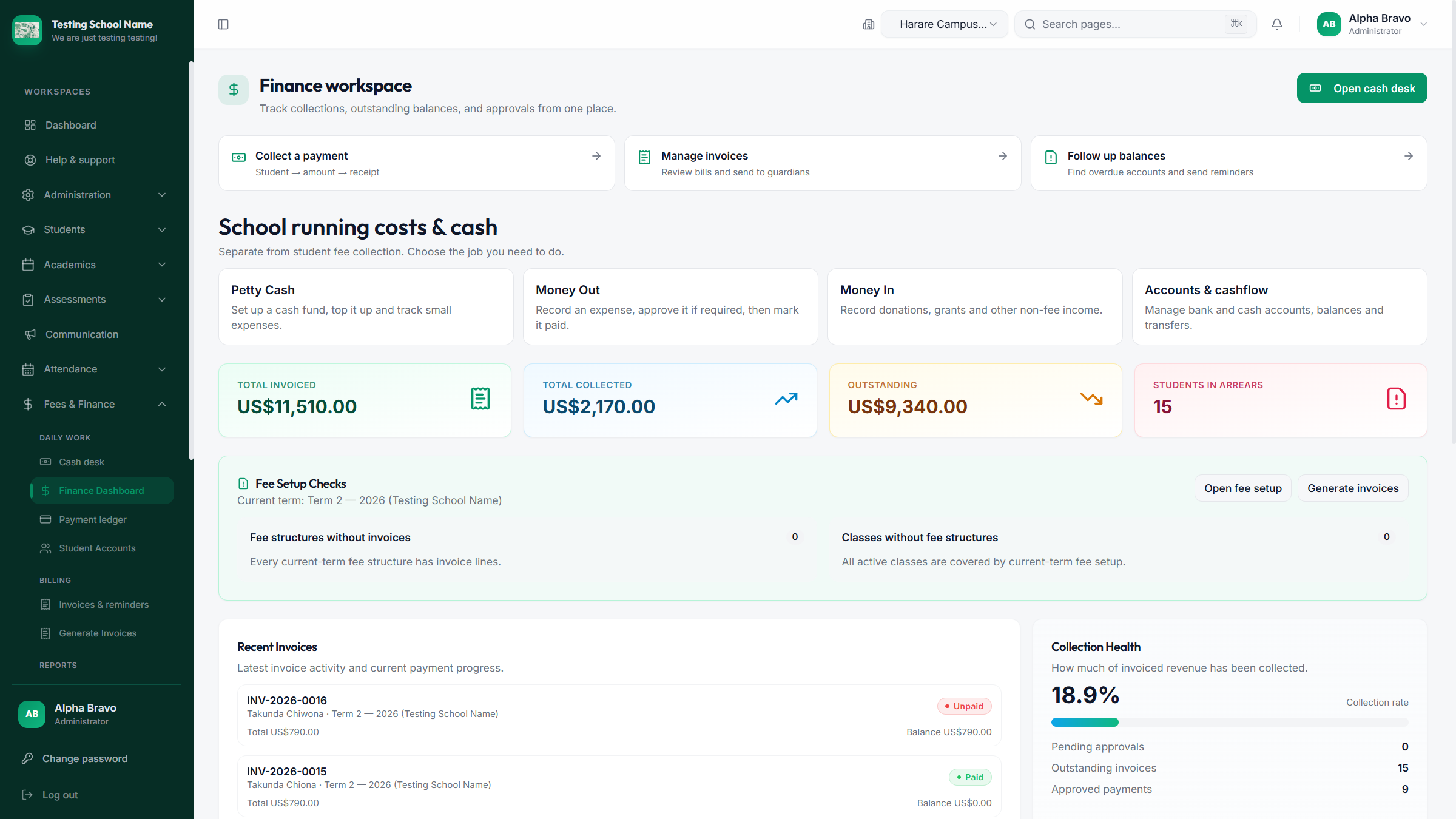
Different interfaces. One connected school.
Administration, management, finance, reporting and remote access through the school portal.
Web portal details →On-site administration and fee workflows on a local computer, with supported changes synchronised when connectivity returns.
Desktop details →Teachers can mark attendance and handle supported classroom workflows on Android, including selected offline work.
Mobile details →A student record links academic progress, attendance and fee activity instead of scattering them across tools.
Administrators, bursars and teachers use the interface suited to their work while working with the same school platform.
The Windows Desktop environment supports selected local student and fee work, then syncs supported changes.
Where enabled, RFID/NFC cards and readers connect attendance activity to the student record.
Staff can work in campus-specific views while authorised management sees the wider organisation.
Tailored Bytes Technologies helps with configuration, onboarding, training and the hardware required by each school.
Tailored School Desktop supports authorised admin and accounts users with local student and fee workflows, then synchronises supported changes. Print fee receipts at the cash desk with a USB thermal printer from the hardware store.
One computer · No LAN required · Local installation · Best for a school office or bursar workstation.
One local server computer · Other authorised devices connect over the school network. Optional and reviewed.
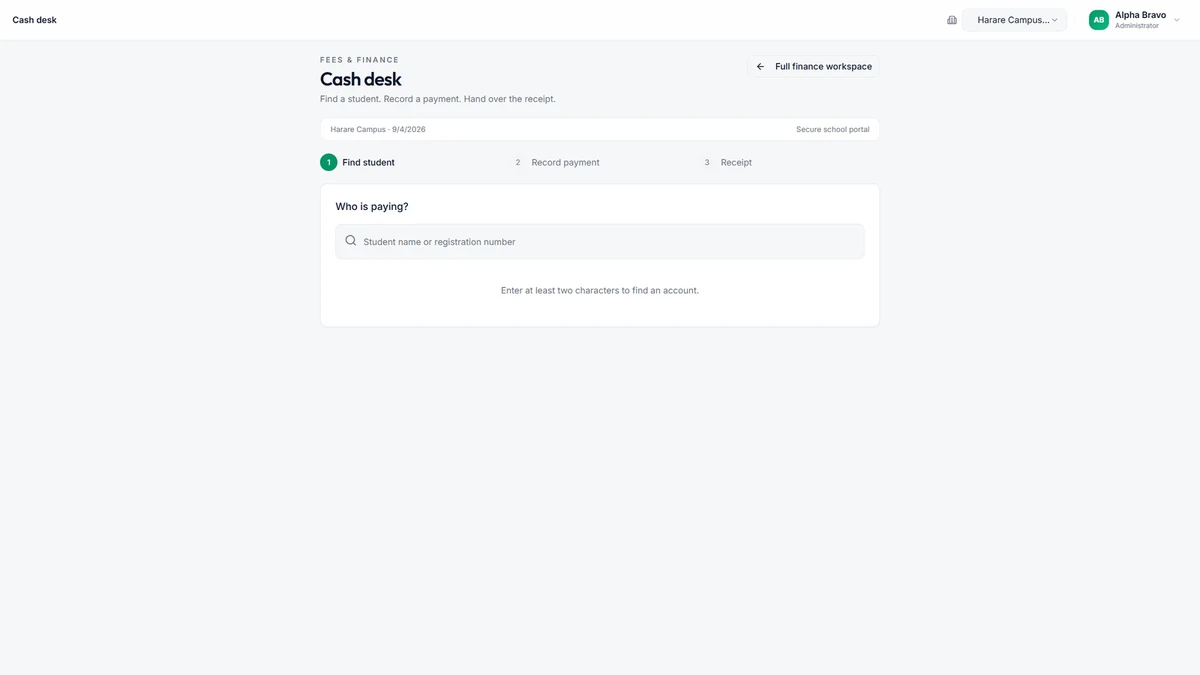
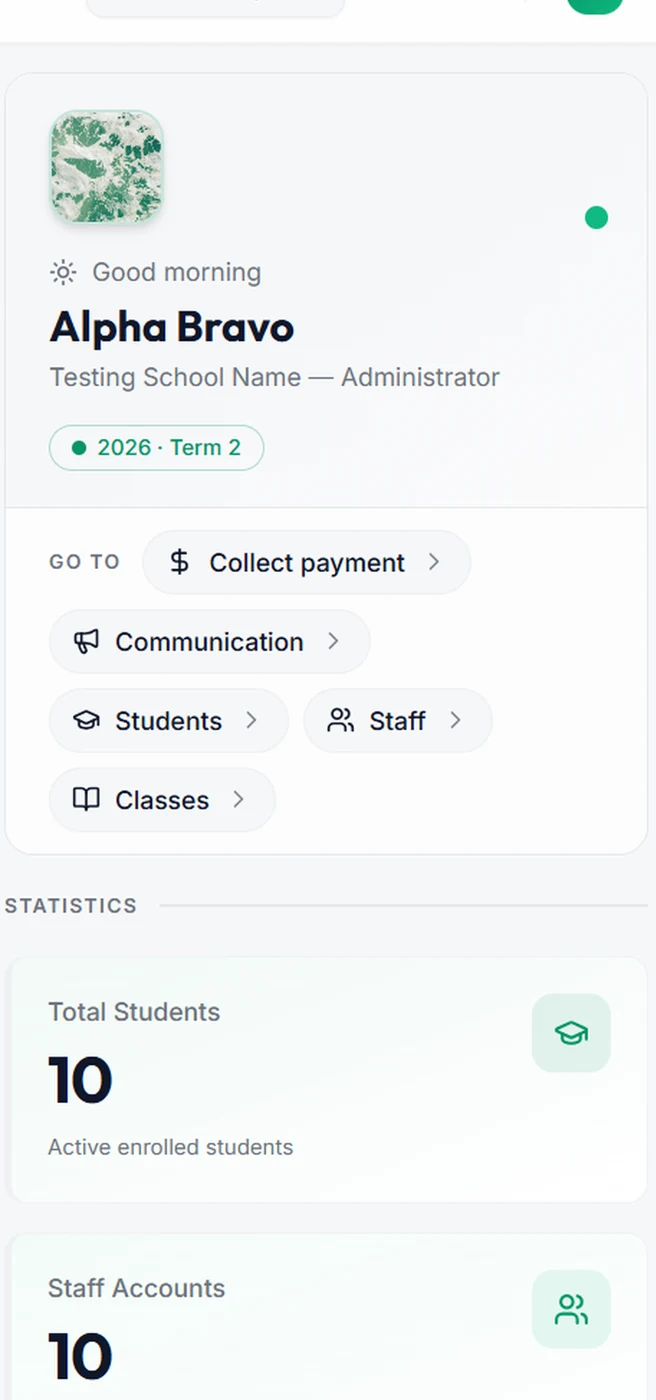
Teachers mark attendance online or offline, manage homework, and sync when connectivity returns. Students use supported schoolwork features. Pair mobile or gate stations with RFID and NFC readers where your school enables card attendance.
Choose the campus you are working in for student registration, classes and payments. Keep each campus's day-to-day information distinct while authorised staff work across the organisation.
Record payments in Tailored School, then print a clear fee receipt on a USB POS printer at the cash desk—or a Bluetooth thermal printer when staff collect fees away from the office. RFID and NFC readers support card attendance at the gate or classroom.
USB readers and learner cards for fast present marking where your school enables attendance hardware.
Desk thermal printers for cash-desk receipts after every portal or desktop payment.
Portable thermal printers for receipts on the go during outreach fee collection.
Thermal rolls and RFID/NFC card packs ready to assign in the school portal.
Meet schools using our connected platform. Explore their public profiles, visit their websites or get in touch directly.
Loading schools…
Use the public test school to inspect student records, attendance and finance with sample data. A tailored demo can focus on your campuses, roles and hardware requirements.
Enter your enrolment to apply the correct pricing tier automatically. The $30 setup fee is paid only when your school starts its free trial.
One tier rate applies to every learner. The setup fee is paid only when the trial starts.
Enter a whole number of learners greater than zero.
Pricing tier101–300 learners
Trial-term subscription$0
Once-off setup$30
Trial term total$30
Ongoing term amount$450
300 learners × $1.50 per learner per termStart Your Free TermWe will agree module scope, implementation, support and renewal terms with your institution.
Request Licence PricingDiscuss additional workflows, specialised reports or integrations with Tailored Bytes Technologies. Customisation is separately scoped and quoted.