One School. One Connected Platform. Request a Demo
Tailored Finance · Accounting is live

Full School Accounting. One Connected Financial System.

Go beyond collecting school fees. Manage receivables, payables, income, expenditure and financial reporting from an accounting system connected to your school's operational records.
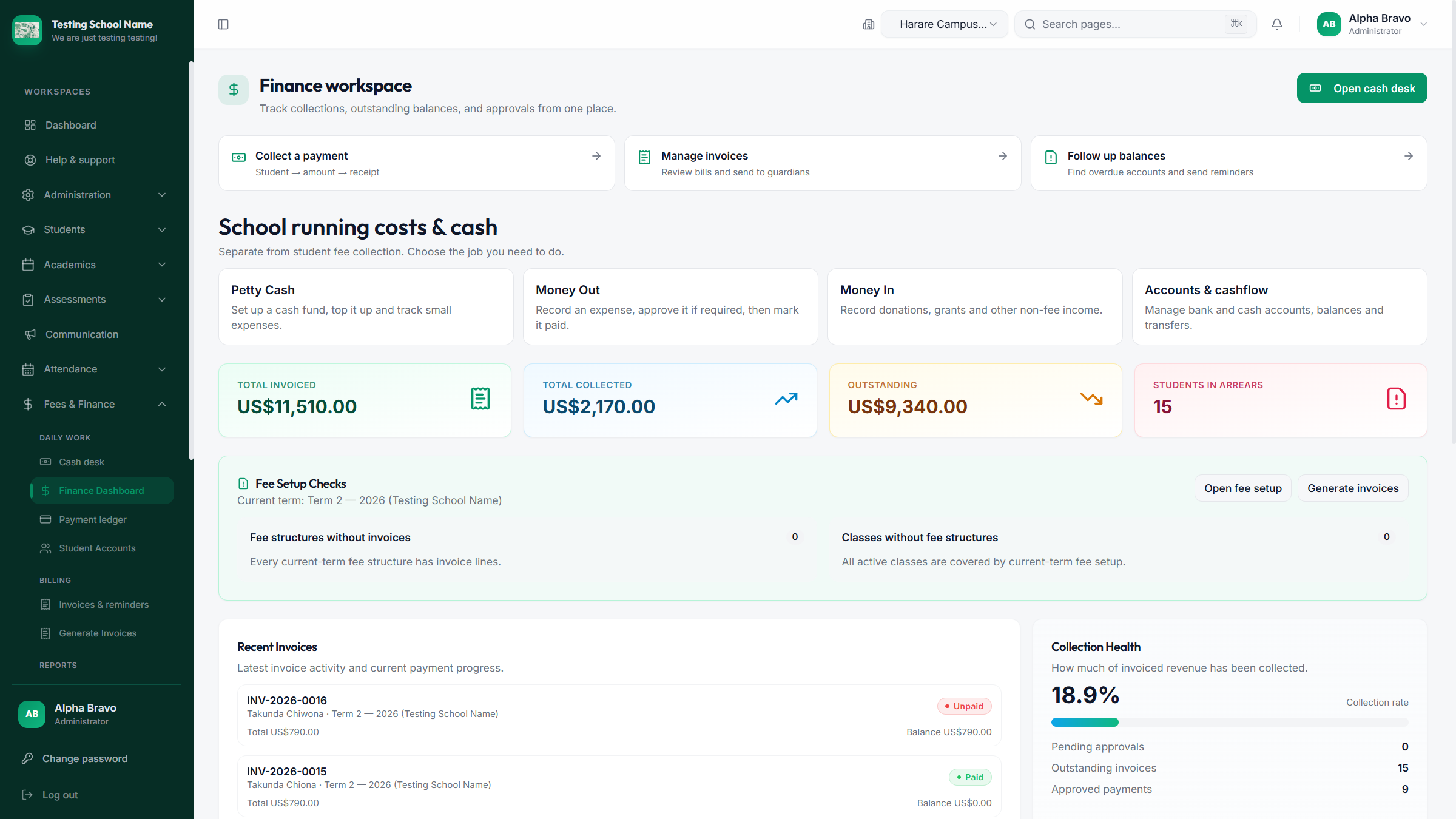
Finance fee dashboard with demonstration records
Fee dashboard · demonstration data, not a customer financial statement.

From the fee desk to the financial report

Invoices and payments both have accounting effects when automatic posting has been configured and enabled for the school.

Student invoiceInvoice accounting entry
Fee paymentPayment accounting entry
General ledgerConnected financial records
Financial reportsReview and understand

An invoice records the receivable and fee income; a payment records the cash or bank movement and reduces receivables. Account mappings and an open accounting period are required. Payment recording and allocation remain distinct steps. The ledger reflects posted entries.

Accounting connected to school operations

These capabilities belong within Tailored Finance. Module scope and activation are agreed for your school.

General accounting

  • Chart of accounts
  • Double-entry ledger
  • Journal entries and corrections
  • General ledger transactions
  • Cash and bank accounts
  • Accounting periods
  • Trial balance

Student and fee finance

  • Fee structures and student invoices
  • Payment recording and allocation
  • Receipts and student statements
  • Outstanding balances
  • Receivables ageing
  • Fee-related accounting entries

Expenditure and suppliers

  • Supplier records
  • Supplier bills
  • Accounts payable
  • Expenses and financial categories
  • Supplier payments

Financial reporting

  • Income statement
  • Balance sheet (financial position)
  • Cash-flow report
  • Trial balance and ledger reports
  • Receivables ageing and payable reports
  • Reports for financial review and audit preparation

Built for the Bursar

Follow the questions that matter at the school office and in financial review meetings.

How much have we billed?

Review student invoices alongside fee structures and the current academic term.

How much has been collected?

Follow recorded payments, allocations and receipts.

Which learners have outstanding balances?

Use student statements and receivables ageing to plan follow-up.

What expenses have we incurred?

Review expense records and financial categories.

What do we owe suppliers?

Keep supplier bills and payments together in accounts payable.

What is our financial position?

Review the balance sheet, income statement and cash-flow report.

See the finance workflow

Existing product interfaces shown with demonstration data.
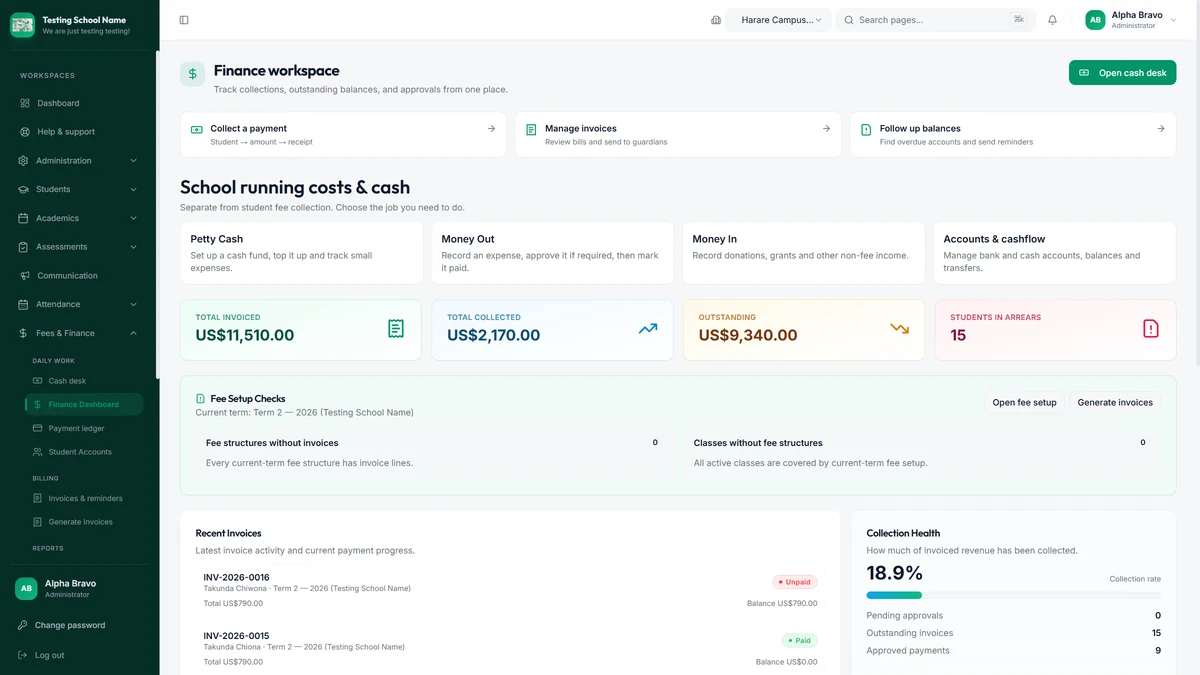
Finance workspace in the test school, showing demonstration collection totals and fee setup checks
Test-school finance workspace · demonstration records, not a customer financial statement.
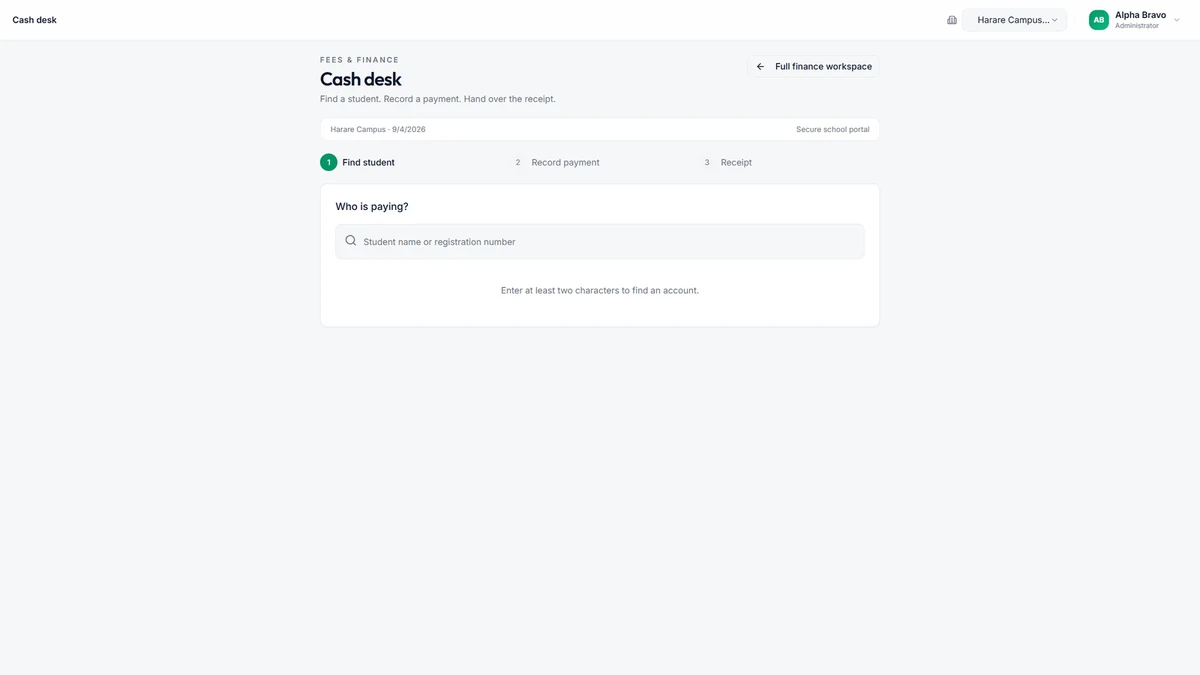
Desktop cash desk with an empty learner search and payment-to-receipt workflow
Cash desk · find a learner, record a payment, print a receipt.

Prepare organised records for review

Consistent transactions and reports support document preparation. Independent auditors still perform the audit; software does not guarantee an audit outcome.

Read: school financial accountability in Zimbabwe →

Book a School Accounting Demo

One connected financial system

Continue to the platform, choose a commercial model or plan an accounting demonstration.